INDUSTRILITY FieldPro
Turn Every Site Visit Into Complete, Accurate Field Data, with Voice AI
FieldPro is the offline inspection mobile app for your field technicians and field sales. Run inspections, checklists, audits and sales walkthroughs on-site, with AI that fills the forms for you, under your brand on iOS and Android.
iOS + Android
AI-Powered Native apps
Offline-first
Built for the plant floor
100%
White-labeled under your brand
The problem
Your Technicians Work in the Field. Your Tools Should Too.
Without a mobile workflow built for the field, managers cannot see what was checked, what failed, or what needs a follow-up visit until days later.
Was every check on this asset actually completed?
Without this: missed steps, repeat visits, and gaps in compliance records.
What did this machine read on the last visit?
Without this: technicians re-enter serial numbers and trends go unnoticed.
Can the job be finished where there is no signal?
Without this: work stops, or data is written on paper and retyped later.
AI in FieldPro
From Paper and Retyping to One Accurate Record
FieldPro closes the gap between the job site and the back office, turning every visit into structured, shareable data your team can act on.
Why now
- Paper and spreadsheets. Readings, photos, and signatures live in different places and are retyped later.
- No signal on site. Plant rooms, basements, and remote sites stop connected apps from working.
- Repetitive entry. Technicians re-enter serial numbers and configuration on every visit.
With AI-powered FieldPro
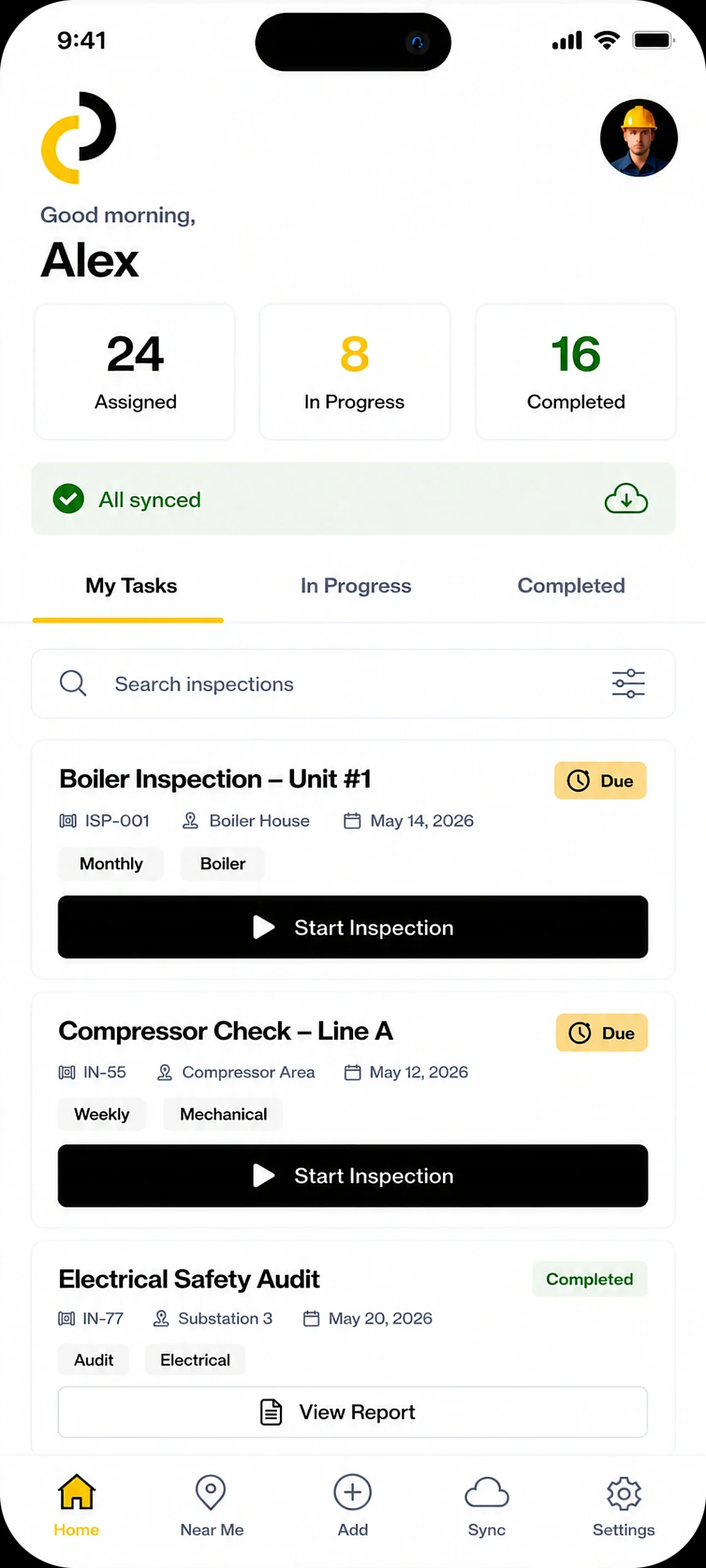
- Digital by default. Every field, photo, signature, and GPS point is captured in one task and one report.
- Offline-first. Complete full tasks with no connection and sync automatically once back online.
- AI-assisted entry. Voice, photo scanning, and carry-forward fill the form so technicians can focus on the work.
Core capabilities
Everything a Site Visit Needs, in One Field Inspection App
The foundational capabilities that turn every site visit into accurate data, clear reports, and faster follow-up.
Capture Every Data Point
- Pass / Fail and condition checks. Pass, Fail, and Skip, plus Acceptable / Repair / Replace, ratings, dropdowns, and Yes / No fields.
- Photo, video, and audio. Take photos, record up to five minutes of video, annotate images, and attach any file.
- Flag, comment, and N/A. Flag an issue with a note and keep moving without blocking the rest of the task.
Let AI Handle the Busywork
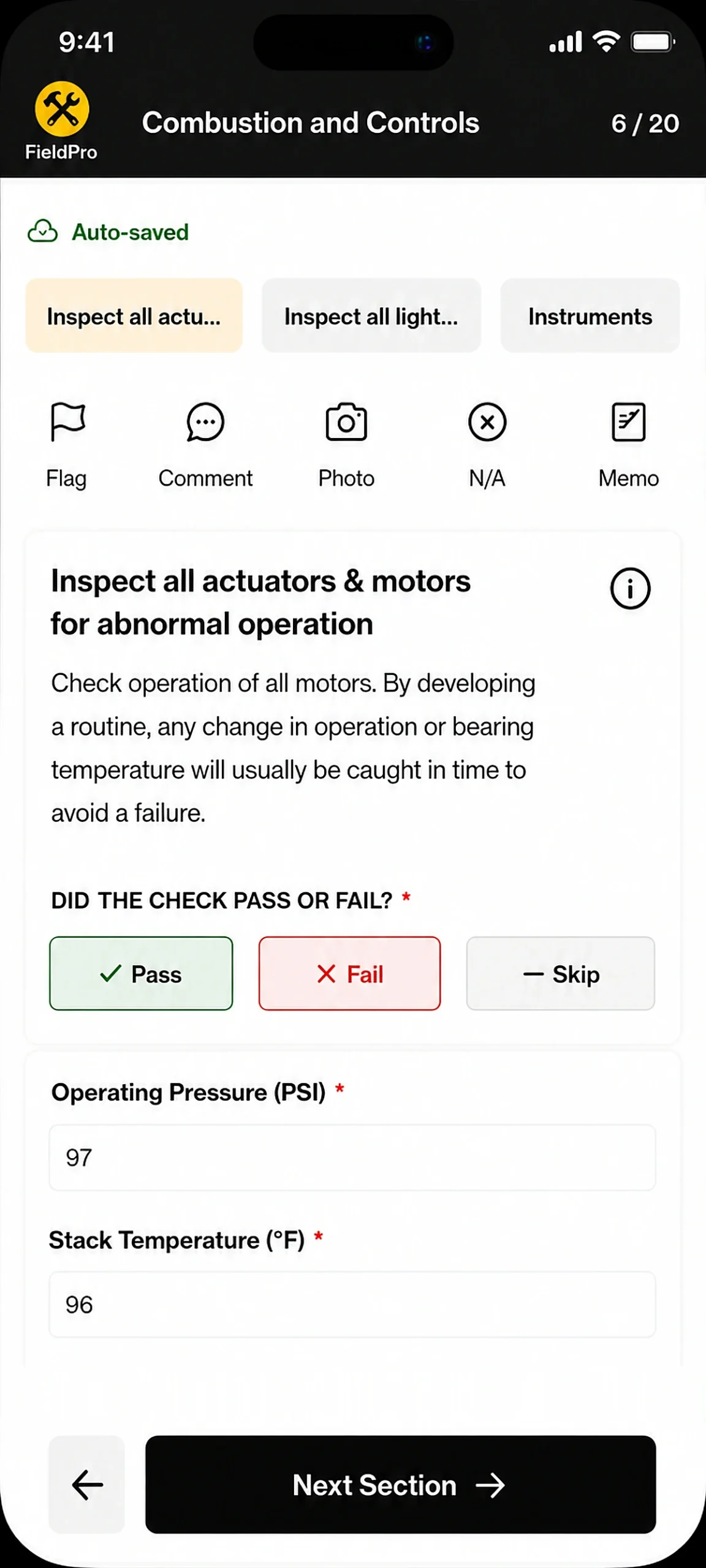
- Voice Copilot. Fill fields, move between sections, and add flags hands-free by speaking naturally.
- Scan and Fill. Photograph a nameplate, gauge, barcode, or label and the AI fills only the matching fields.
- Smart Memo. Record a voice note that is transcribed into a comment automatically, even offline.
No Internet? No Problem.
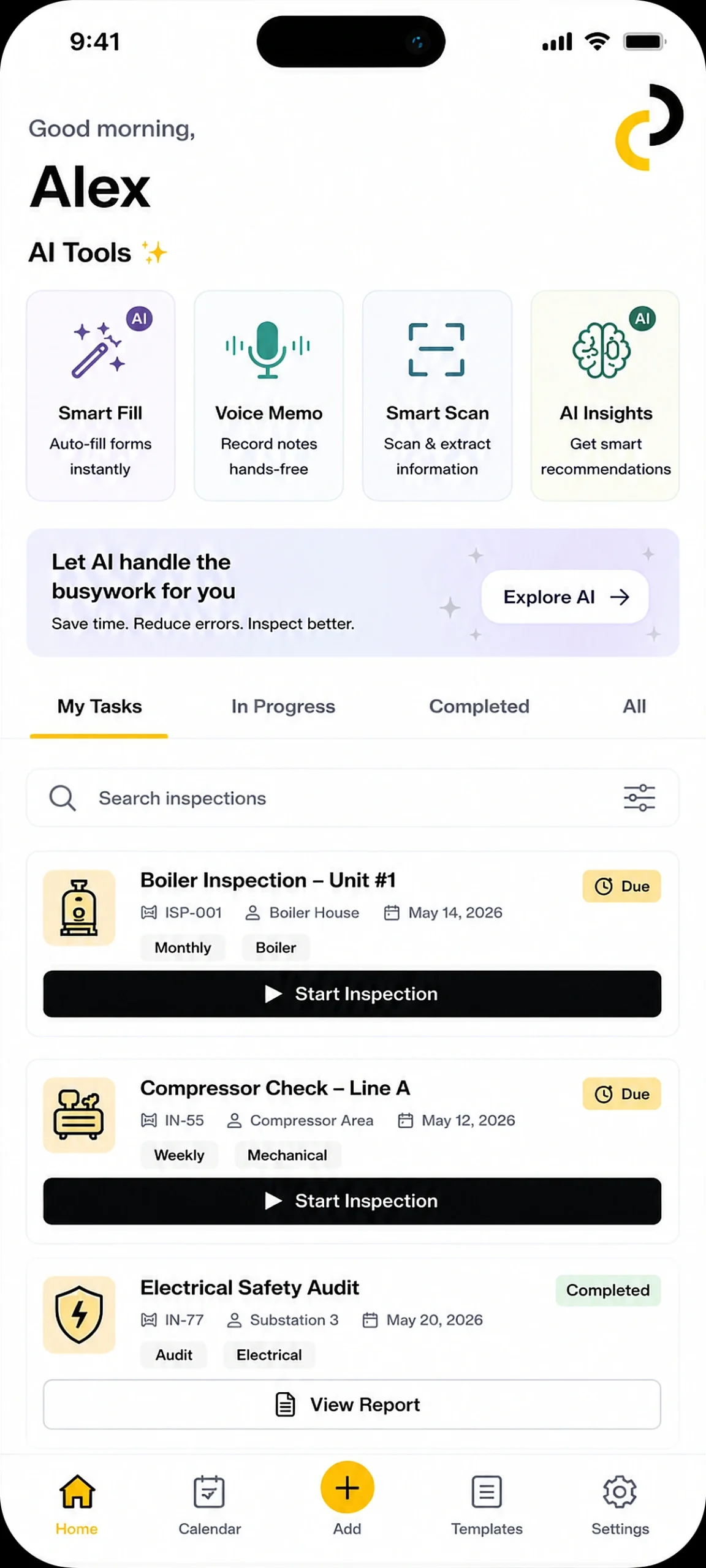
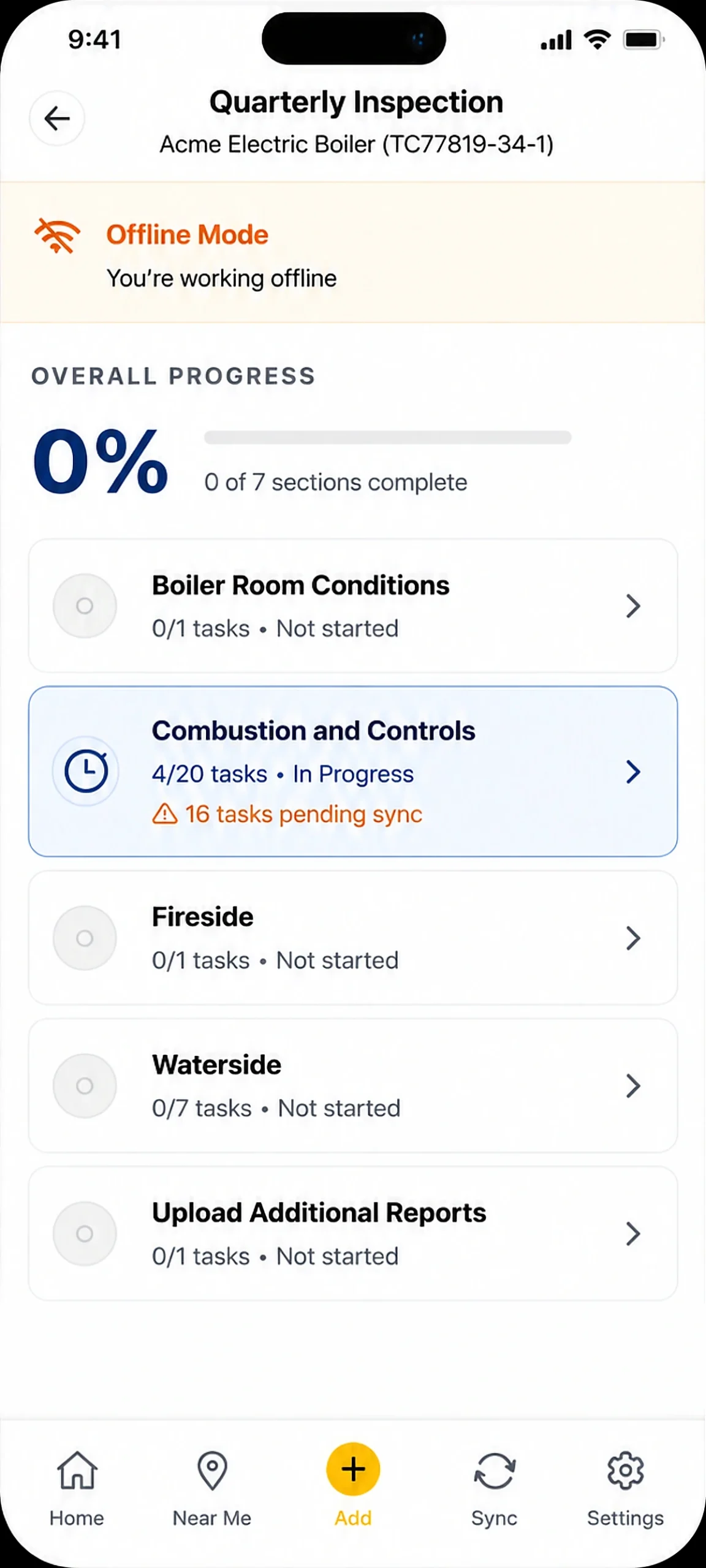
- Full offline workflows. Start and complete tasks, fill every field type, and capture media with no connection.
- Auto-save in two seconds. Every entry is saved on the device, even if the app closes or the battery dies.
- Automatic sync queue. Changes upload in order when a connection returns, with automatic retries.
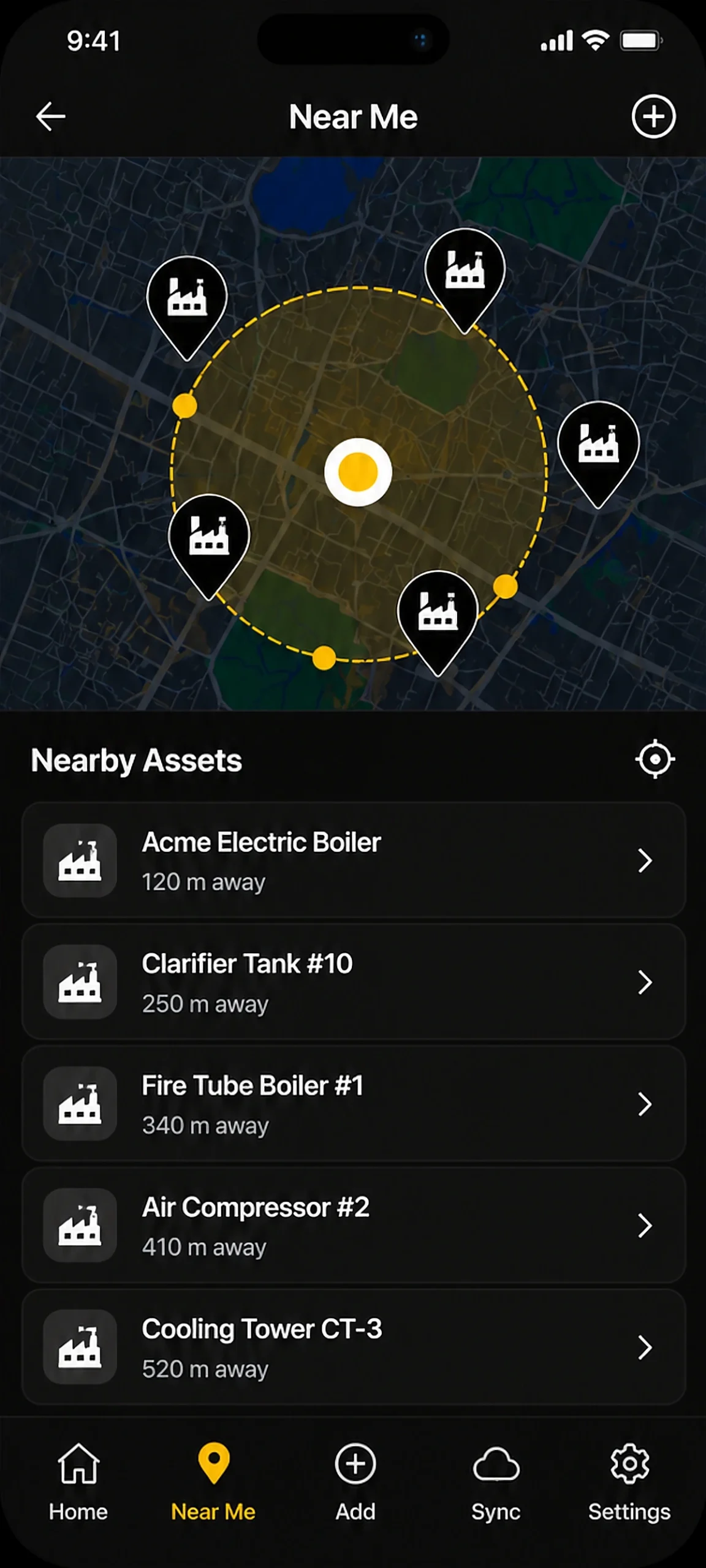
Find Nearby Assets Instantly
- GPS asset map. See every accessible system and asset plotted on a map around your location.
- Start from the map. Tap a pin to view details and start a task directly on-site.
- Add missing assets. Request a new system or asset so your administrator can add the record.
What's inside
One App for Every Field Task
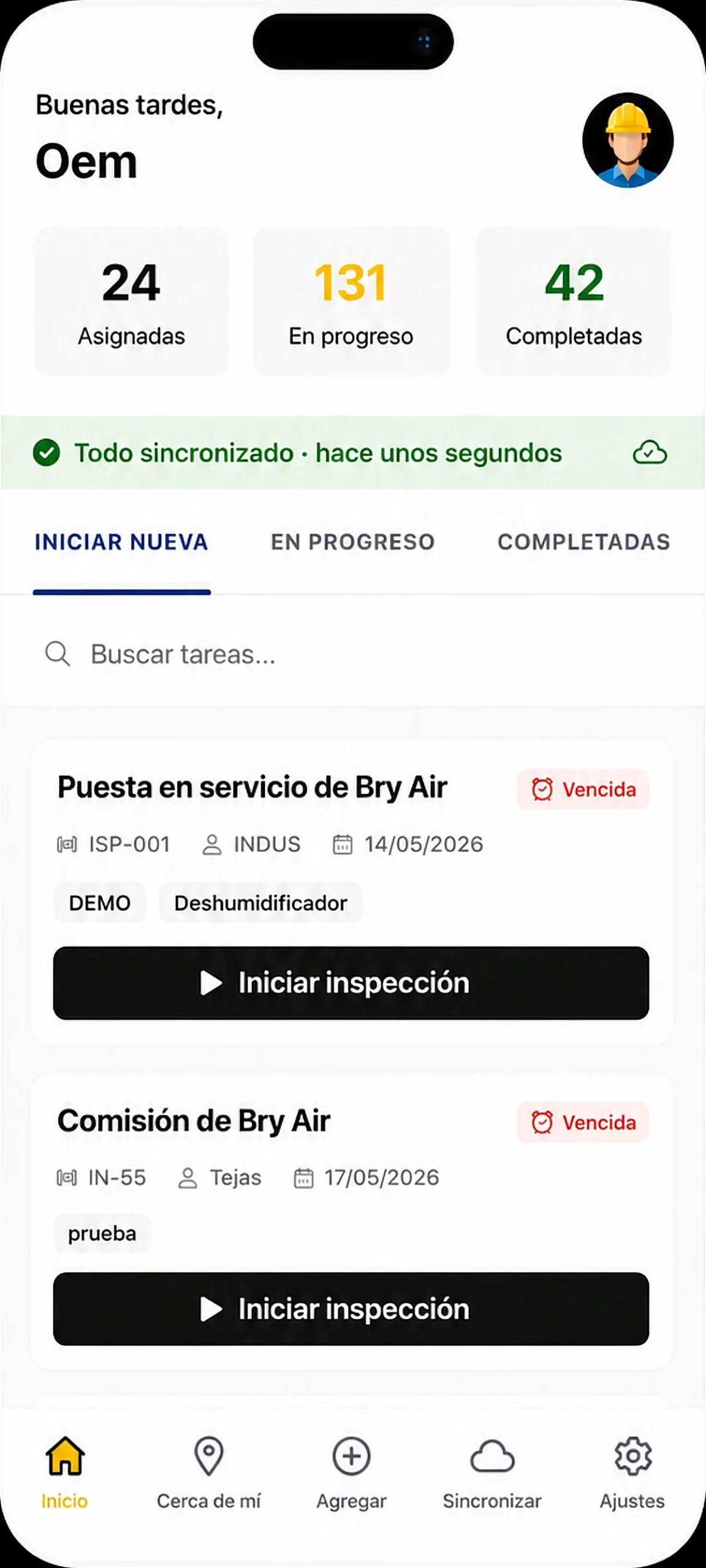
Enable the task types your team needs. Every type shares the same card-based dashboard, from assignment to final report.
Inspections
Assess equipment condition with pass / fail outcomes and rich media evidence.
Checklists
Verify that a set of tasks was completed, step by step, with nothing missed.
Audits
Formal compliance reviews with every asset in the system populated automatically.
Walkthroughs
Guided observation during sales or service visits to a customer site.
Training
Complete assigned training courses right alongside day-to-day field work.
Surveys
Document installed assets and configuration across the installed base.
Support
Run field support ticket workflows from the same dashboard as every other task.
Reports
Every submitted task generates a report you can download as a PDF or share.
Built for Real Field Conditions
FieldPro is designed around how technicians actually work, on-site, often offline, and short on time. Every number below is built into the app.
Carry-forward
Let Previous Visits Do the Heavy Lifting
FieldPro organizes every completed task around the asset, so the next visit starts with what the last one already knows. No guesswork, and no retyping.
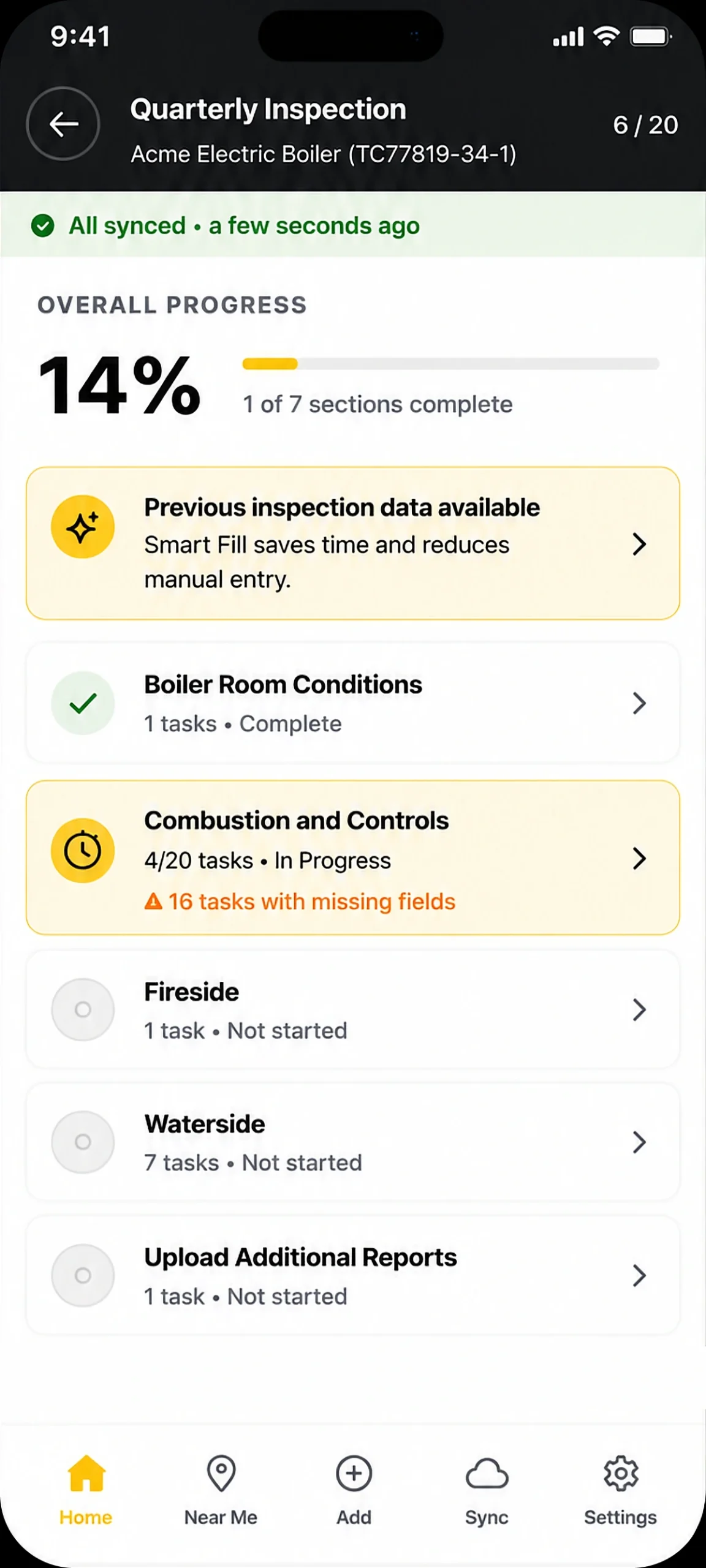
Smart Populate
When a technician starts a task on a familiar asset, FieldPro offers the data from the last completed task.
Three-Tier Pre-Fill
Serial numbers and configuration fill automatically, readings arrive as suggestions to review, and photos and signatures always start fresh.
Past History
Review completed tasks for the same asset with dates, technician names, and pass / fail results per section.
Works Across Technicians
Data carries forward even when a different technician completed the last visit on that asset.
White-label
Your Brand. Your App.
FieldPro is published under your company’s name and branding. Technicians download your app, and customers who receive reports see your brand throughout.
App Name and Icon
Your name and icon on the device home screen and in the App Store and Google Play.
Login and SSO
Your logo and tagline on the login screen, with single sign-on through providers such as Microsoft Azure AD and Okta.
Brand Colors
Your primary color tints buttons, headers, badges, and highlights across the entire app.
Put FieldPro in Your Technicians' Hands
Book a demo with the Industrility team, or download FieldPro on iOS and Android today.
Frequently Asked Questions
Answers to the questions field service leaders ask most about FieldPro.
Does FieldPro work without an internet connection?
Yes. FieldPro is built offline-first. Technicians can start and complete tasks, fill every field type, take photos and video, and draw signatures with no connection. Every entry is saved on the device and syncs automatically when a connection returns. Downloading new assignments, server-side asset search, Smart Populate, and Scan and Fill need an internet connection.
Can FieldPro be published under our own brand?
Yes. FieldPro is fully white-labeled. Your app name and icon appear on the home screen, your logo and tagline appear on the login screen, your primary color tints the interface, and the app is listed in the App Store and Google Play as your own.
Which types of field work does FieldPro support?
FieldPro supports inspections, checklists, audits, walkthroughs, training, surveys, and support workflows. Your administrator enables the task types each account needs, and technicians can filter which types appear on their dashboard.
How does Scan and Fill work?
Tap the Scan and Fill icon in any task, then take or choose a photo of a nameplate, gauge, barcode, label, or damaged part. The AI reads the image and fills only the fields the current section asks for. You review each value, edit anything that looks wrong, and tap Apply. Scan and Fill requires an internet connection.
Can data from a previous visit be reused?
Yes. When a task starts on an asset with history, Smart Populate offers the data from a previous completed task. Serial numbers and configuration fill automatically, readings and results arrive as suggestions to review, and signatures, location, and photos are always captured fresh. It works across technicians.
Which languages does FieldPro support?
FieldPro is available in English, Spanish, French, German, and Portuguese. Technicians can also set their timezone and preferred date format in Settings.
How do technicians sign in?
Technicians sign in with the same credentials they use for the Industrility web platform, or through single sign-on if your organization uses a provider such as Microsoft Azure AD or Okta. Face ID or fingerprint login can be enabled after the first sign-in.
What happens to work if the app closes or the battery dies?
Nothing is lost. Every field is saved to the device within two seconds of the last entry, so when the app reopens the task is exactly where the technician left it.